


mobile phones are more than just communication devices—they are repositories of personal information, gateways to online banking, and essential tools for daily life. As mobile usage grows, so do the risks associated with unauthorized access, SIM frauds, and identity theft. Protecting your mobile number has become crucial. The Sanchar Saathi App, developed by the Government of India, offers a practical and efficient solution to secure your mobile number from misuse. In this comprehensive guide, we will explore what the Sanchar Saathi App is, how to log in, its key features, uses, benefits, reviews, and much more.
What is Sanchar Saathi App?
The Sanchar Saathi App is a government-backed mobile application created to enhance mobile number security for Indian users. Its primary goal is to prevent unauthorized SIM issuance and protect users from identity theft and SIM card frauds.
With the rise in mobile-related scams, such as cloning, phishing, and fraudulent SIM activations, the app acts as a shield, allowing users to monitor all SIM cards issued in their name. By integrating with telecom operator databases, it provides real-time information on any suspicious activity related to your mobile number.
Some core aspects of the app include:
- SIM Monitoring: View all SIM cards registered under your name.
- Real-Time Alerts: Receive instant notifications if a new SIM is activated.
- Complaint Registration: Lodge complaints directly if you suspect misuse.
- Multi-Operator Support: Compatible with all major telecom providers in India.
In short, the Sanchar Saathi App is not just an app; it is a mobile security companion that gives users peace of mind and control over their mobile numbers.
Sanchar Saathi App Login
Logging into the Sanchar Saathi App is simple and secure, ensuring that only authorized users can access sensitive data. Here’s a step-by-step guide:
- Download the App: Available on Google Play Store for Android and Apple App Store for iOS.
- Open the App: Tap the app icon to launch it.
- Register/Login: Enter your mobile number and complete OTP verification.
- Access Dashboard: Once logged in, you can monitor your SIM cards, receive alerts, and report suspicious activity.
The login process is designed to be user-friendly while maintaining strict security protocols. Users can rest assured that their personal information is safe, and only verified individuals can access their account.
Sanchar Saathi App Review
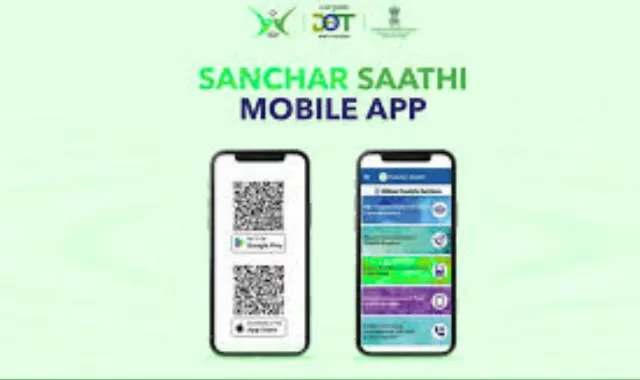
The Sanchar Saathi App review by users has been overwhelmingly positive. The app has been praised for its simplicity, reliability, and effectiveness in preventing unauthorized mobile usage.
Pros:
- User-Friendly Interface: Easy navigation even for beginners.
- Real-Time Alerts: Immediate notifications for any suspicious activity.
- Multi-Operator Support: Works with all major telecom operators in India.
- Free of Cost: Available without any charges for download or usage.
Cons:
- Requires Internet: Users need an active internet connection to receive real-time alerts.
- Limited Analytics: Some users wish for additional analytical tools for more detailed monitoring.
Overall, the Sanchar Saathi App review highlights its reliability as a security tool and its practical application in everyday mobile use.
Sanchar Saathi App Uses
The Sanchar Saathi App uses are extensive and beneficial for anyone looking to secure their mobile number.
1. SIM Verification
Users can check all SIM cards registered under their name to detect any unauthorized connections.
2. Real-Time Alerts
Receive instant notifications whenever a new SIM card is activated in your name, helping prevent fraud early.
3. Complaint Registration
The app allows users to report unauthorized SIM usage directly to the authorities, ensuring prompt action.
4. Multi-Operator Monitoring
It works with all major telecom operators in India, providing comprehensive security across multiple SIM cards.
5. Data Protection
By monitoring SIM activity and enabling alerts, users can safeguard their personal information from misuse.
6. Peace of Mind
Knowing that your mobile number is secure and monitored gives users confidence and reduces the stress associated with mobile fraud.
Comparison Table of Key Features
| Feature | Description | Benefits |
| SIM Verification | Check the number of SIMs issued under your name | Prevent unauthorized SIM usage |
| Real-time Alerts | Notifications for new SIM activations | Immediate awareness of potential fraud |
| Complaint Registration | Report unauthorized usage directly through the app | Quick resolution and assistance |
| User-Friendly Interface | Simple navigation for easy use | Suitable for all age groups |
| Multi-Operator Support | Works across all major Indian telecom providers | Ensures comprehensive monitoring |
This table provides a clear overview of how the app helps protect your mobile number while offering convenience and ease of use.
How to Download and Install Sanchar Saathi App

Downloading and installing the Sanchar Saathi App is straightforward.
- Open the Google Play Store or Apple App Store.
- Search for “Sanchar Saathi.”
- Click Install and wait for the program to download..
- Open the app and grant the necessary permissions.
- Use your mobile number to register, then use an OTP to confirm it.
After installation, users can immediately start monitoring their SIMs, enabling alerts and reporting suspicious activities.
Step-by-Step Guide to Using Sanchar Saathi App
To get the most out of the app, follow these steps:
- Login to the App: Use your registered mobile number and OTP to access your account.
- Enable Alerts: Turn on notifications to receive real-time updates about any activity on your mobile number.
- Monitor SIMs: Check all SIM cards issued under your name to detect unauthorized connections.
- Report Unauthorized Usage: If you notice suspicious activity, lodge a complaint through the app.
- Regularly Check the App: Make it a habit to check the app periodically for any unusual activity.
By following these steps, users can maximize the security benefits offered by the app.
Tips for Maximizing Mobile Security
While the Sanchar Saathi App provides essential protection, you can further enhance your mobile security with these tips:
- Use Strong Passwords: Ensure your phone and apps are protected with strong passwords.
- Enable Two-Factor Authentication: For added security on apps that support it.
- Regularly Update the App: Keep the Sanchar Saathi App updated for the latest features and security patches.
- Be Aware of Scams: Stay informed about common mobile scams and phishing attempts.
- Monitor SIM Activity: Frequently check the app to detect any suspicious SIM activations.
These steps, combined with the app, offer comprehensive protection against mobile fraud.
FAQs
Q1: Is the Sanchar Saathi App free to use?
Ans: Yes, the app is completely free for all Android and iOS users. You don’t have to pay anything to download, register, or use its features.
Q2: Can I track multiple SIM cards with this app?
Ans: Yes, the app allows you to monitor all SIM cards issued under your name. This is especially useful if you have multiple connections or want to ensure no unauthorized SIMs are activated.
Q3: How quickly will I receive alerts for new SIM activations?
Ans: Alerts are delivered in real-time, ensuring that you are notified immediately whenever a new SIM is issued in your name.
Q4: What should I do if I notice an unauthorized SIM?
Ans: Lodge a complaint through the app immediately. Once reported, the concerned authorities will investigate and take necessary action to prevent misuse.
Q5: Is my personal data safe with the app?
Ans: : Yes, the app follows strict security protocols to protect user data. Your personal information is encrypted and monitored to ensure complete privacy.
Q6: Do I need internet to use the app?
Ans: Yes, an active internet connection is required for real-time alerts, monitoring SIMs, and accessing the app’s features.
Q7: Which telecom operators support the Sanchar Saathi App?
Ans: The app is compatible with all major telecom operators in India, providing comprehensive coverage for all users.
Q8: Can I use the app to secure someone else’s number?
Ans: No, the app only allows monitoring and complaints for numbers registered in your own name. You cannot access someone else’s SIM information.
Q9: Does the app notify me about deactivated SIMs?
Ans: Yes, the app provides updates about both active and deactivated SIMs linked to your number, helping you stay fully informed.
Conclusion

The Sanchar Saathi App is a must-have tool for anyone looking to secure their mobile number and prevent unauthorized usage. From real-time alerts to complaint registration and SIM monitoring, it empowers users with the tools needed to stay ahead of potential threats. Positive reviews from users highlight its practicality, ease of use, and effectiveness in safeguarding personal information.
In an era where mobile fraud is becoming increasingly common, the Sanchar Saathi App is a reliable companion for mobile security. By regularly using the app and following best practices for mobile safety, users can enjoy peace of mind, knowing their mobile numbers are fully protected. The app ensures that your digital identity remains secure while giving you complete control over your mobile number.